Six jobs. One workspace.
What Vesso does for a sales team, with every capability labeled the way you would find it in the product: live, beta, private beta or planned.
Meeting intelligence
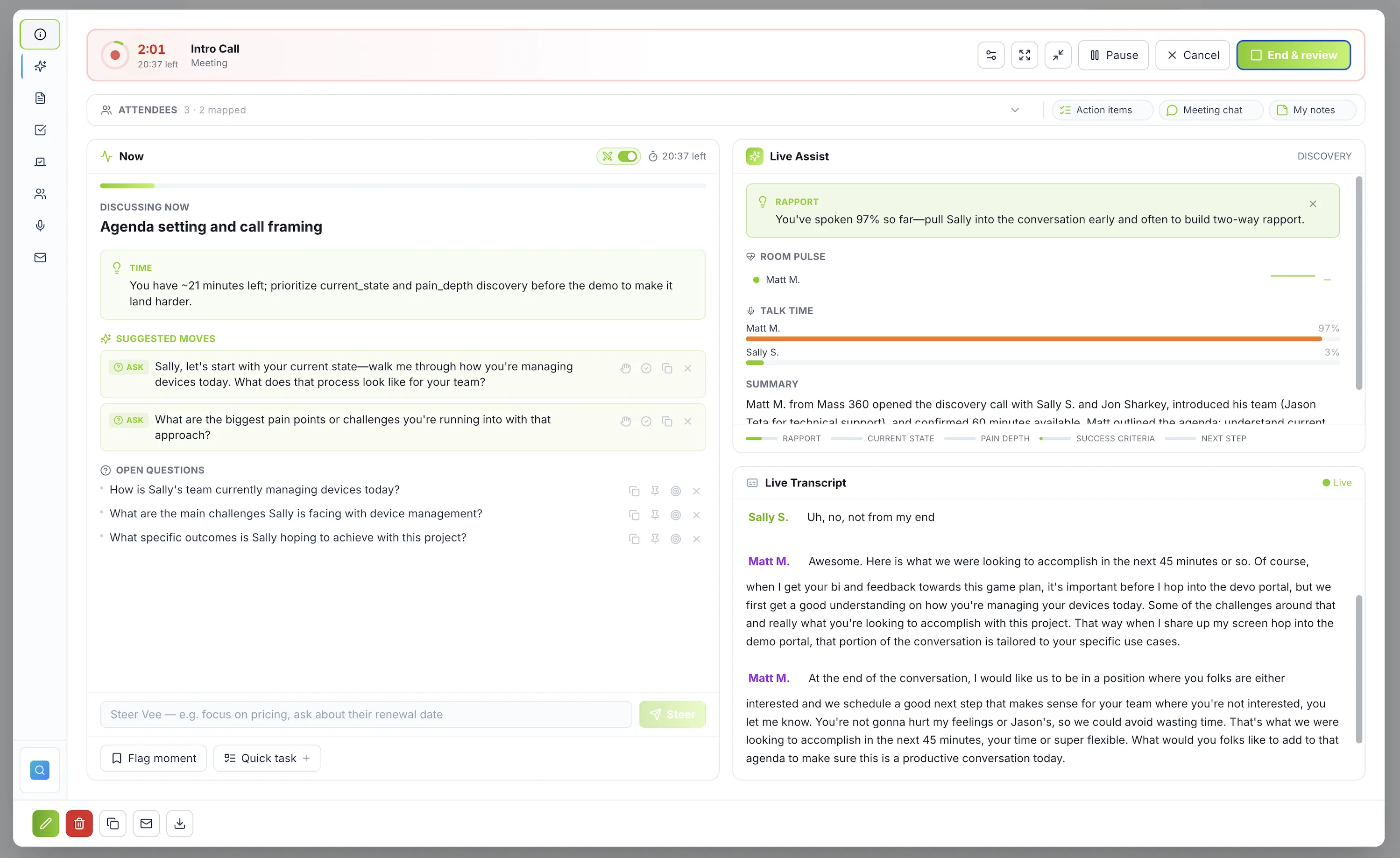
Every customer call recorded, coached while it happens, and turned into notes, action items and a drafted follow-up.
- Notetaker joins Zoom, Google Meet and Microsoft Teams; unlimited recording and AI notes on every planLive
- Live transcript with agenda tracking, talk-time and rapport nudges during the callLive
- Screen context: Vee reads the slides and screens shared in the meetingLive
- Scorecards, sentiment by speaker and coaching feedback after the callLive
- Follow-up email drafted and action items filed as tasks when the call endsLive
- Outlook calendar sync live; Google Calendar pending OAuth verificationBeta
Sales rehearsal
Reps practice cold calls, discovery, renewals and QBR presentations against AI buyers who interrupt, then get a scored, evidence-backed debrief.
- Voice practice with barge-in, so it feels like a real phone callLive
- Rebuild a real recorded call into a targeted drillLive
- Presentation rehearsal for QBRs and exec updatesLive
- Weighted scorecards, manager assignments and a team leaderboardLive
“You've got thirty seconds. Why shouldn't I hang up?”
Prospecting
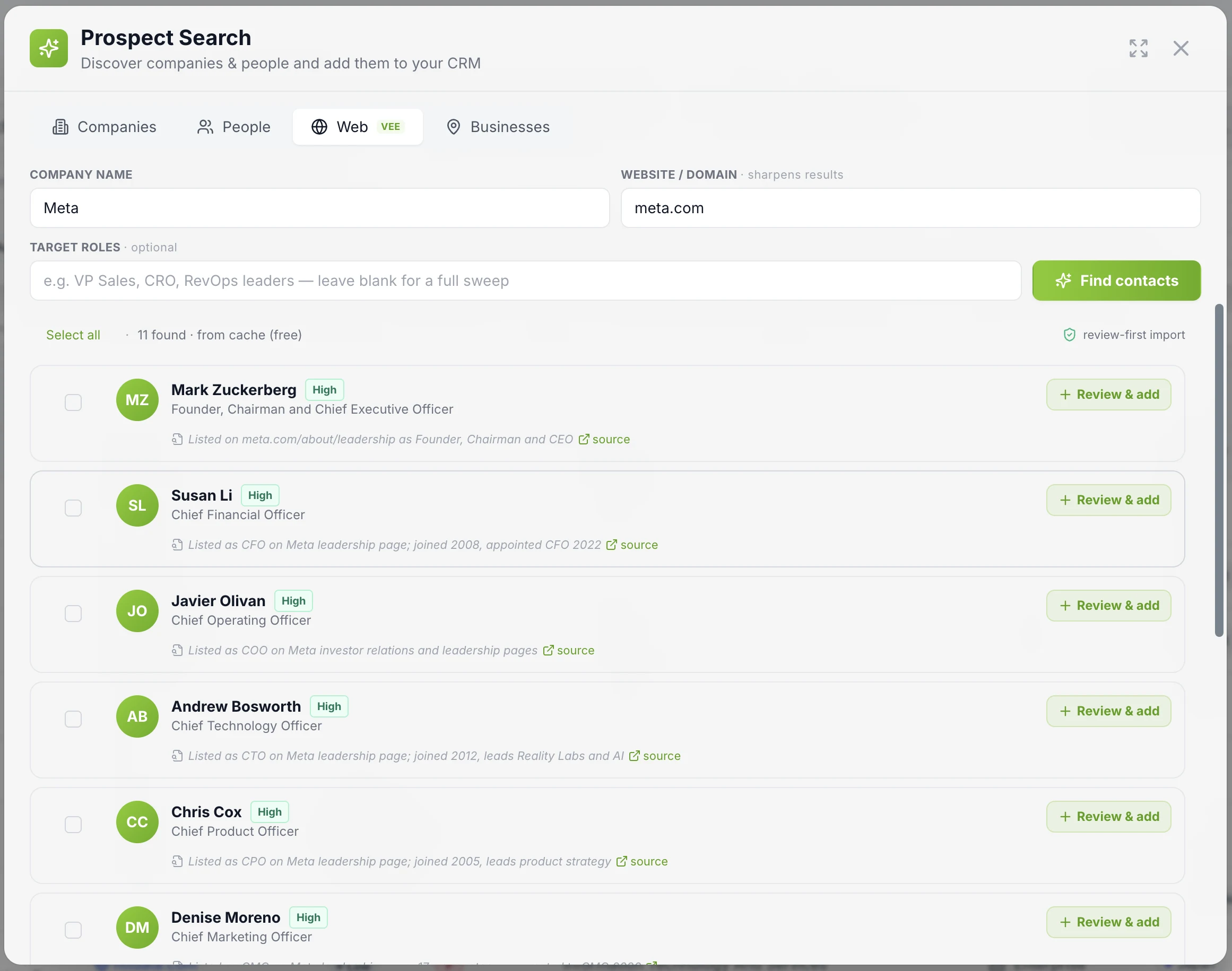
Find net-new accounts and contacts with the evidence attached, review them before they touch the CRM, and put them into a cadence.
- Web prospect search: contacts with a cited source page and a review-first importLive
- B2B contact database reveals, metered in creditsLive
- Account Radar agent sweeps the market for companies that fit your ICPLive
- Account and contact enrichment with signals and newsLive
- Duplicate detection and an identity-resolution queue before importLive
- Multi-step cadences with an AI builder: email and task steps; LinkedIn steps are manualLive
- Salesforce and HubSpot import, enabled per workspace on requestPrivate beta
Lead routing
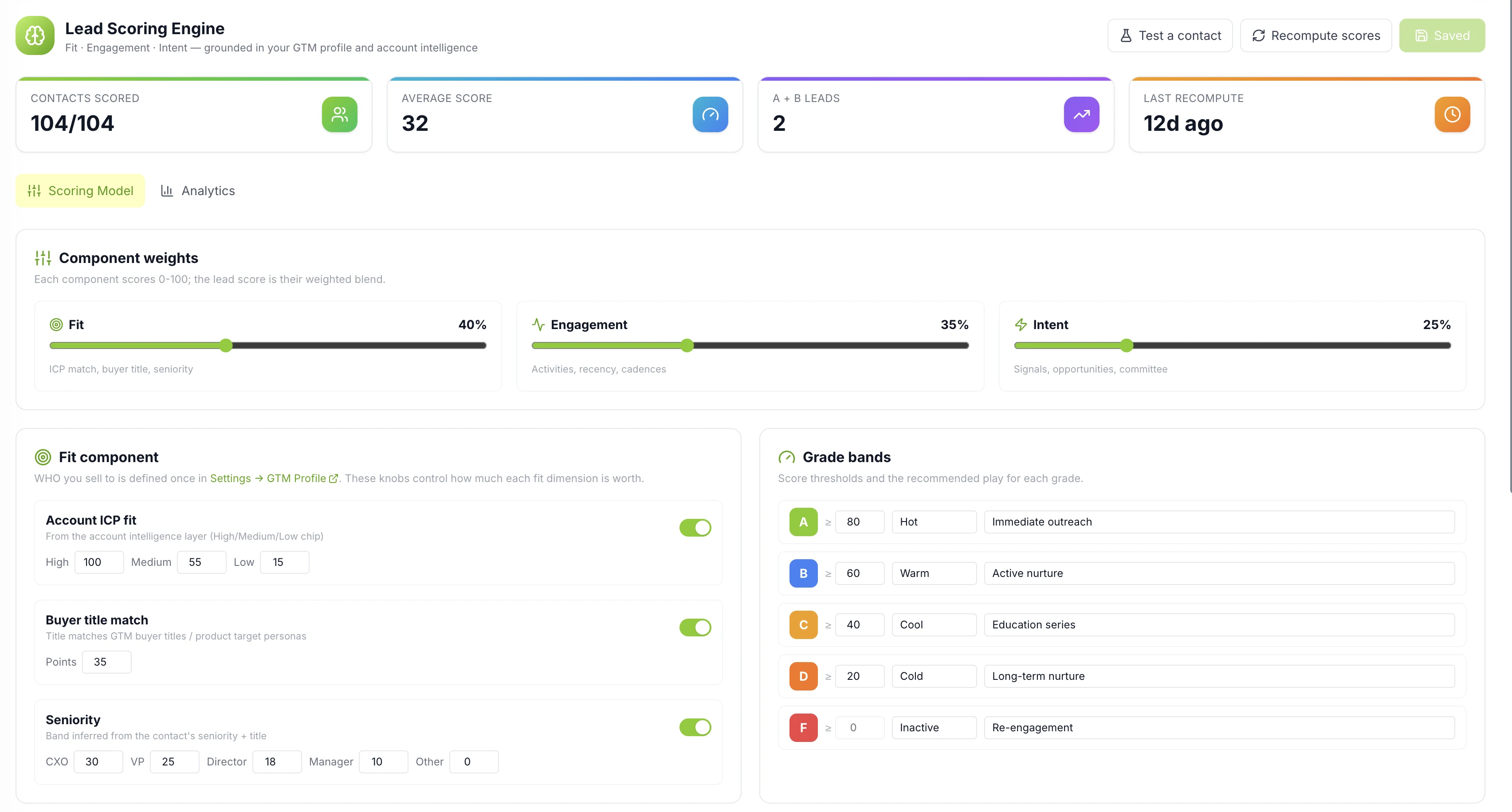
Score every inbound lead on fit, engagement and intent, and hand it to the right rep by rule, round-robin or capacity.
- Lead scoring engine with editable fit, engagement and intent weights (Growth plan)Live
- Round-robin and capacity-based assignment in the Workflow BuilderLive
- Queues with SLA timers and an SLA Guardian agentLive
- Territory auto-assignment by geography and segmentLive
- Inbound Lead Qualifier agent scores and briefs new leadsLive
- Forms that create and route leadsLive
Campaign execution
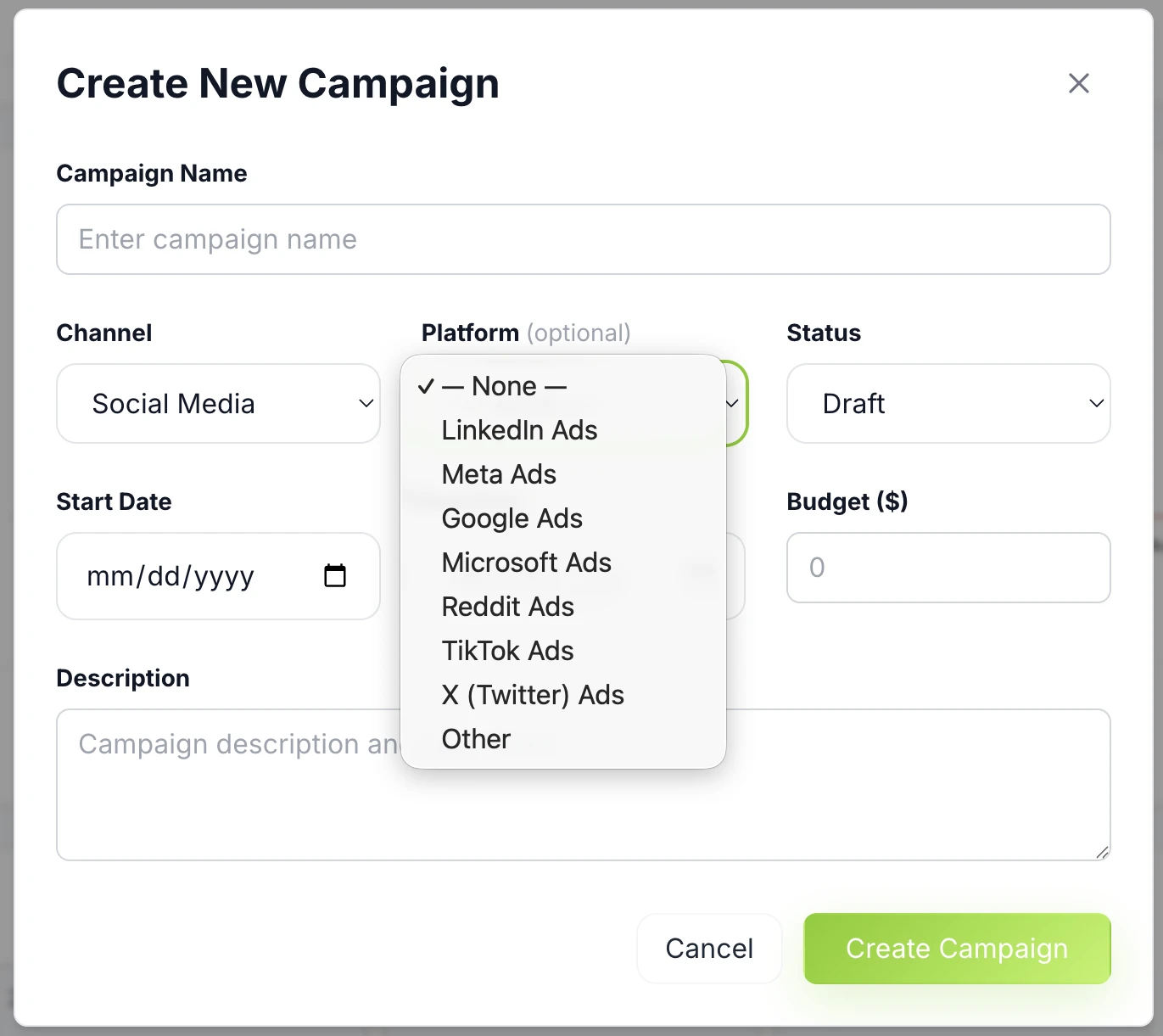
Plan, send and measure campaigns from the same system that holds the pipeline, so attribution never needs a spreadsheet.
- Multi-channel campaign builder with a visual calendar (Professional plan)Live
- Email template builder and workspace-level unsubscribe managementLive
- First-party web analytics with subdomain trackingLive
- Campaign attribution to downstream pipelineLive
- Ad platform connections: LinkedIn, Meta, Google, Microsoft, Reddit, TikTokPrivate beta
- Send-time optimizationPlanned
Revenue analytics
Ask questions of your own GTM data in plain English or SQL, and keep forecasting, quotas and pipeline integrity in the same place.
- SQL Data Explorer: plain English to SQL, run, chart or exportLive
- Custom reports, drafted with VeeLive
- Forecasting, quotas and pacing (Growth plan)Live
- Revenue-integrity checks and win/loss analysisLive
- Export every record as CSV and JSON from Admin SettingsLive
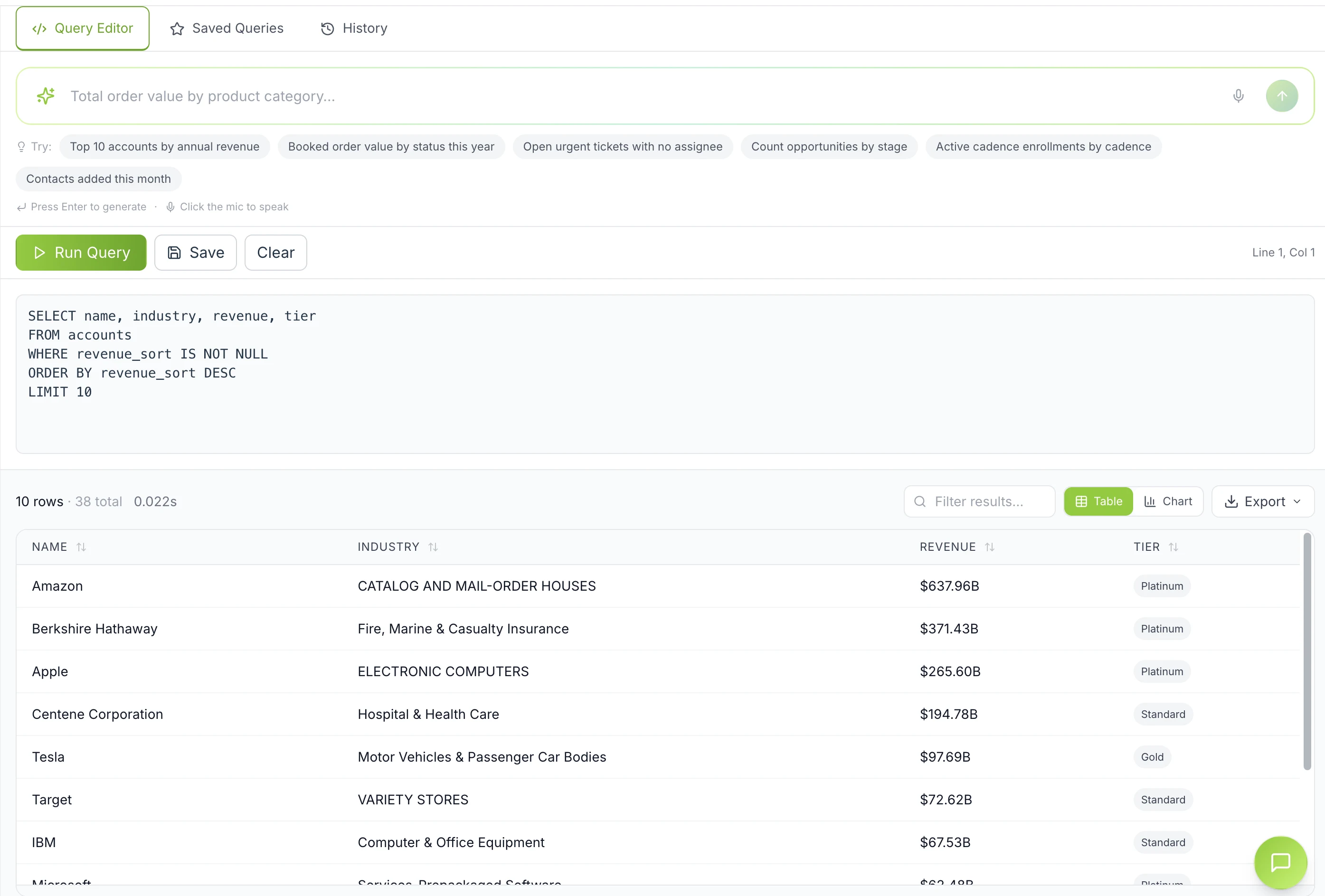
The same copilot, and the agents behind it.
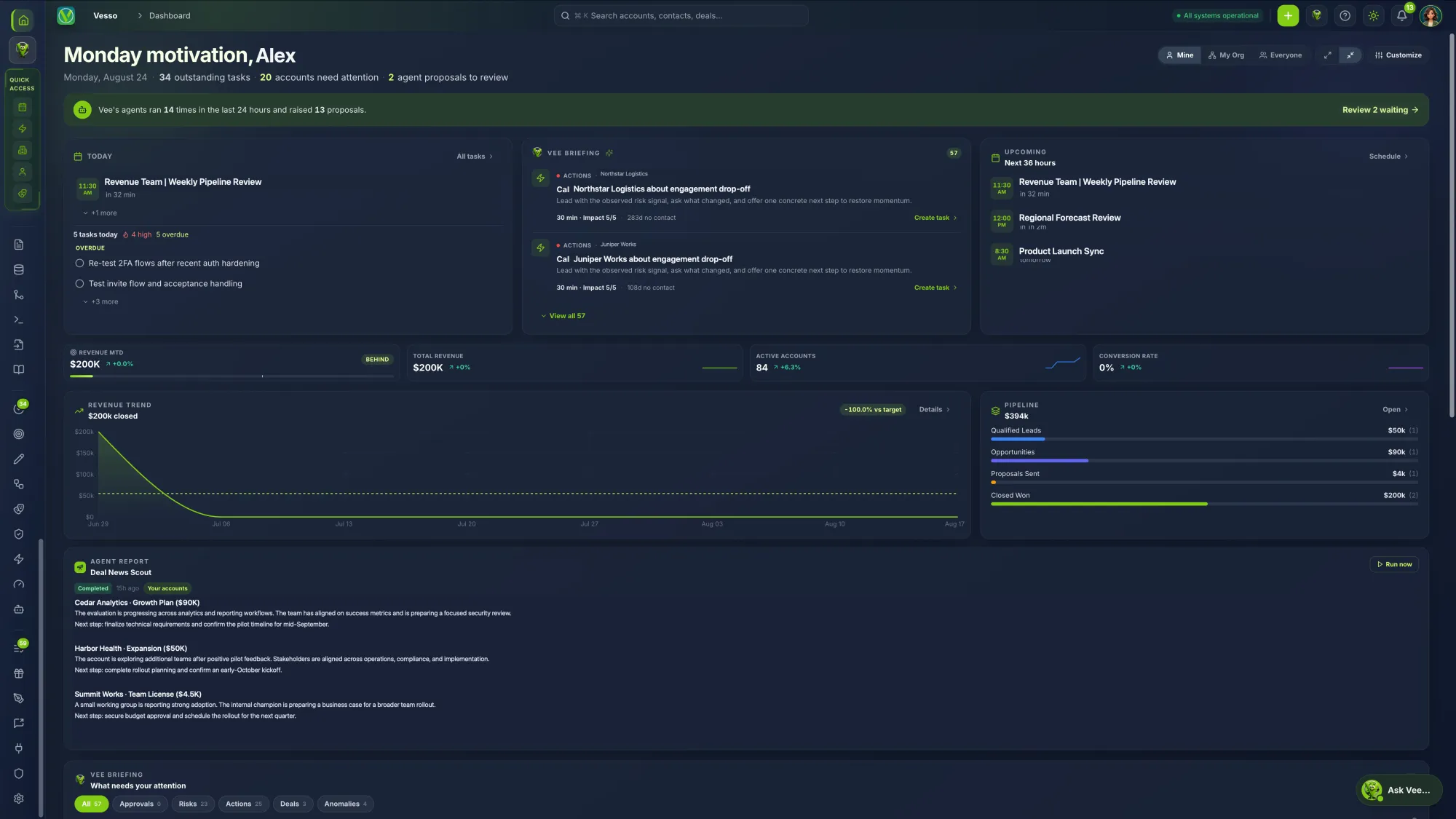
Vee is one assistant working from one CRM. In chat it can create tasks, update deals, enroll contacts, draft emails and cadences, build reports and answer questions about your pipeline. Behind it, a bench of autonomous agents watches the workspace and proposes the next move.
Agents propose; people approve. The only actions an agent may take unattended are creating a task and sending a notification.
One workspace, shaped around how your team works.
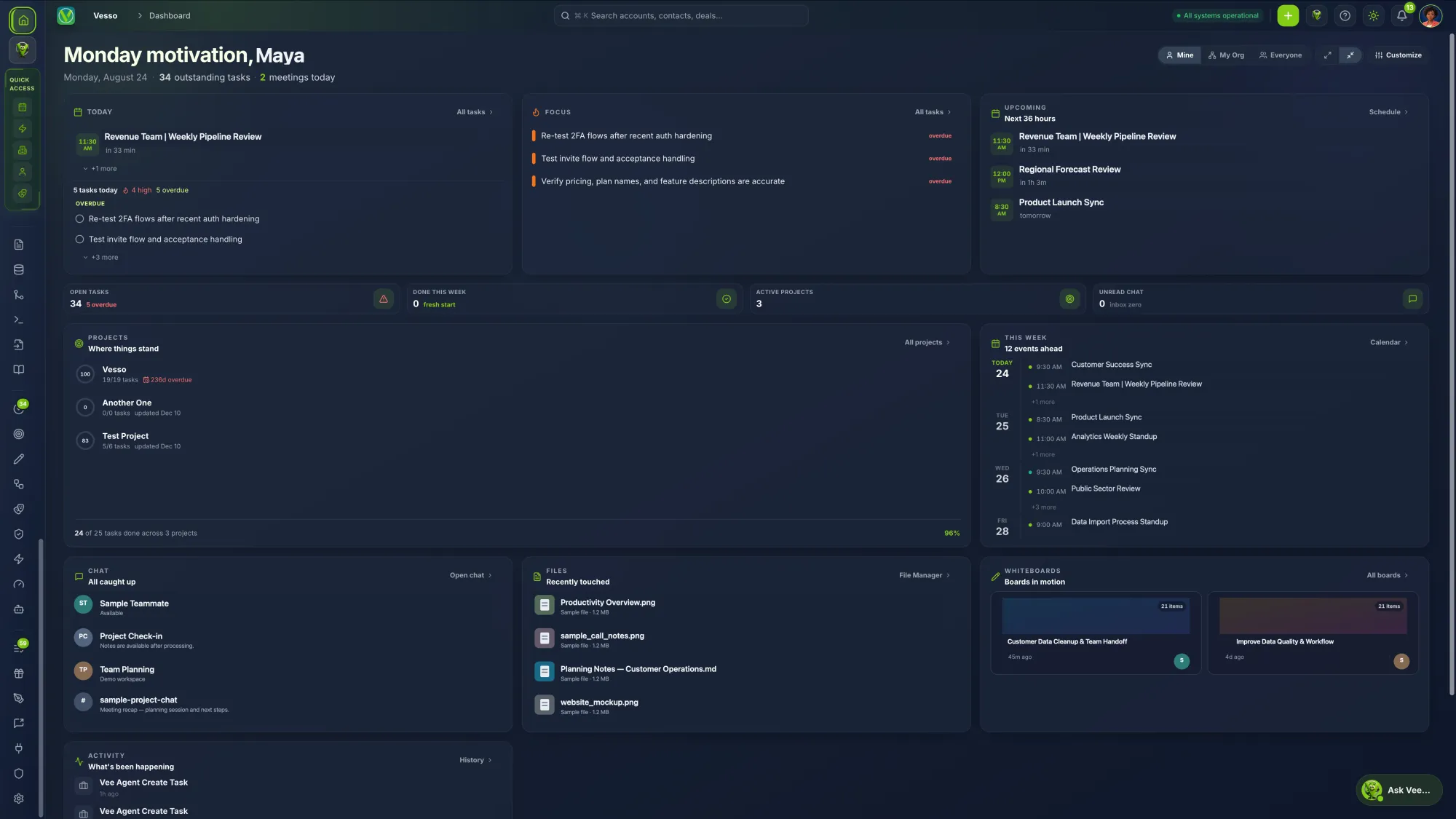
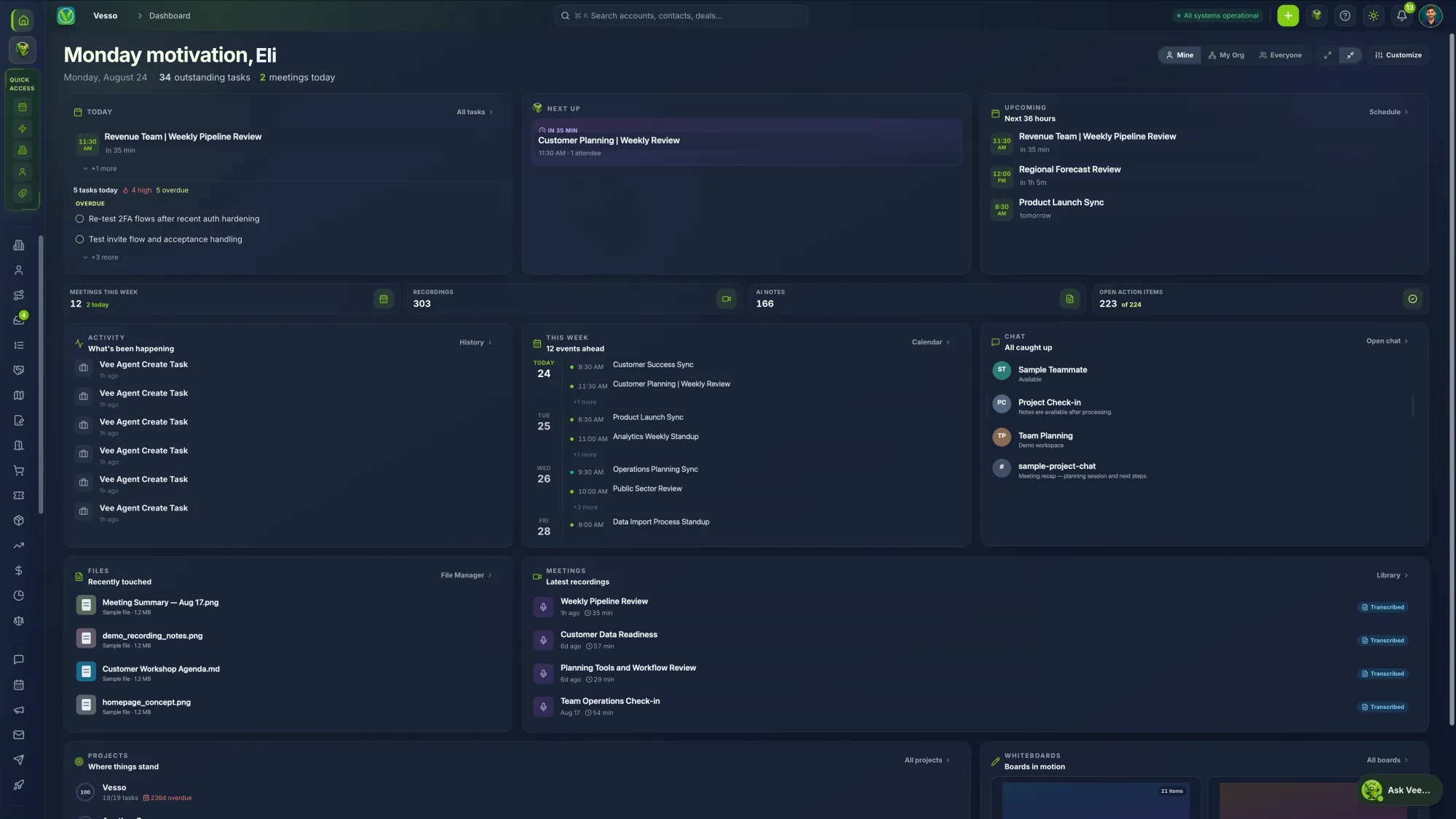
Pick a mode and Vesso reshapes itself: the sidebar, the home screen and the first page people land on. Sales teams get the full platform. Project and meeting teams get a focused workspace without the CRM in the way. Then every person tunes their own.
Put Vee to work this week.
One AI teammate that answers, acts, and automates, from the first call to closed-won.
Free for 7 days · No credit card required