Catch recurring objections
Track competitors and the phrases that matter. See mentions, per-speaker sentiment trends, and risks across calls.
AI Notetaker
Vee turns your conversations into CRM tasks, follow-up drafts, and better coaching. It hears the call, understands the screens you share, and keeps the next steps connected to the deal.
Free for 7 days · No credit card required
One meeting. Every next step.
Explore how the conversation becomes the work.
From the conversation
Jordan Taylor 23:48
The scope looks right. Could you send it over so we can review it with the team?
Alex Morgan 24:12
I’ll send the pilot proposal by Friday.
Jordan Taylor 24:18
Perfect. Let’s work from that.
What’s on screen
Shared by Alex Morgan
Ask who should review the proposal and when you can walk through it together.
Unlimited recording and AI notes. Never metered by credits. Included in every business plan.Example workflow
The real work is following through: who owns the next step, what the buyer needs, and what to do better next time. Vee brings that work into Vesso.
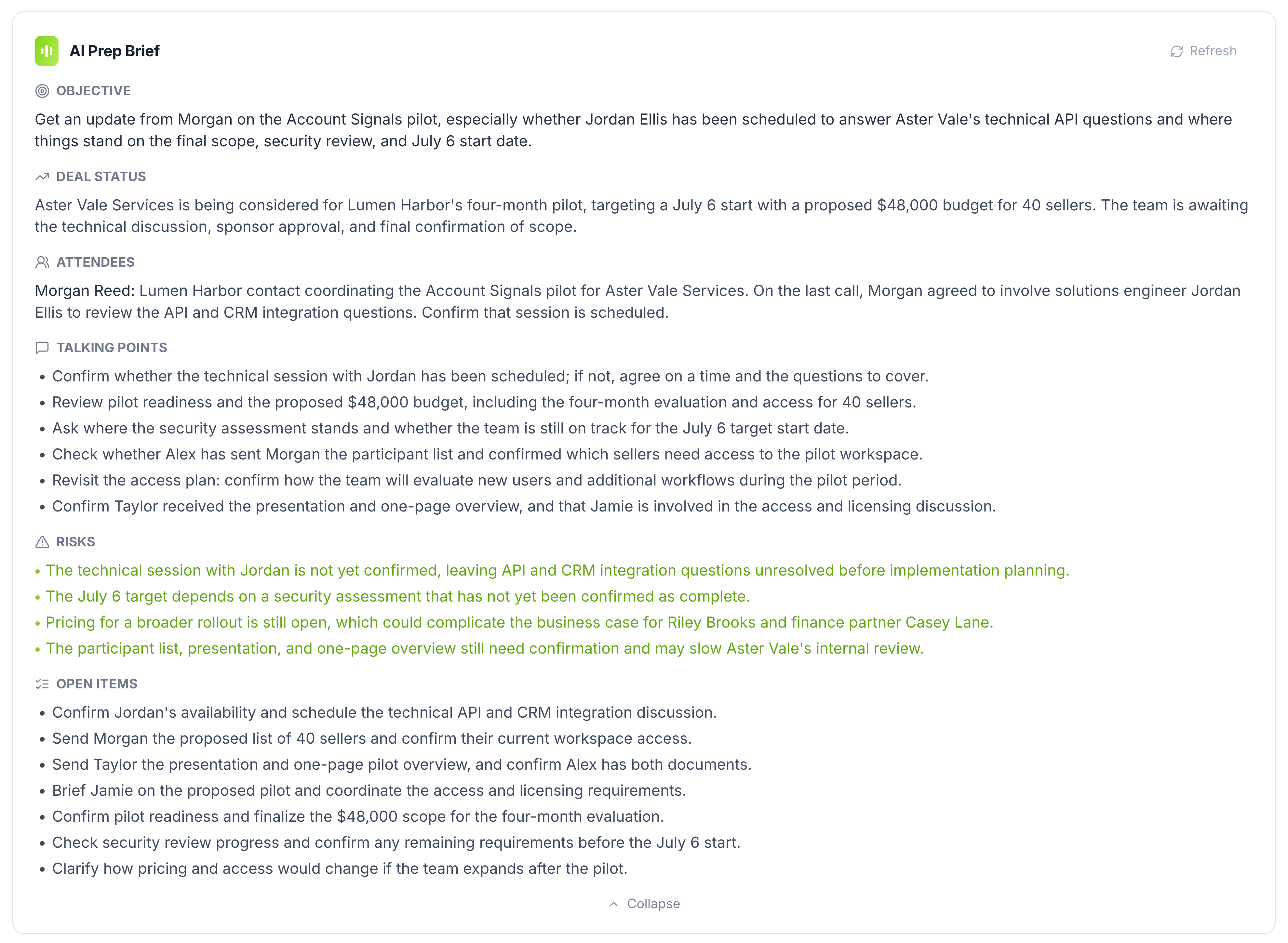
Open a brief that already knows the deal, the people, and the promises from last time. Walk in knowing what to ask.
The pricing sheet. The product demo. The slide that changes the conversation. Vee connects what is on screen to what is being said, so the important details stay together.
Snapshots when the shared screen changes, with the figures and names that matter.
Live guidance grounded in the screen everyone is looking at.
Revisit each screen with its notes and jump back to that moment. Export or share the slides you choose.
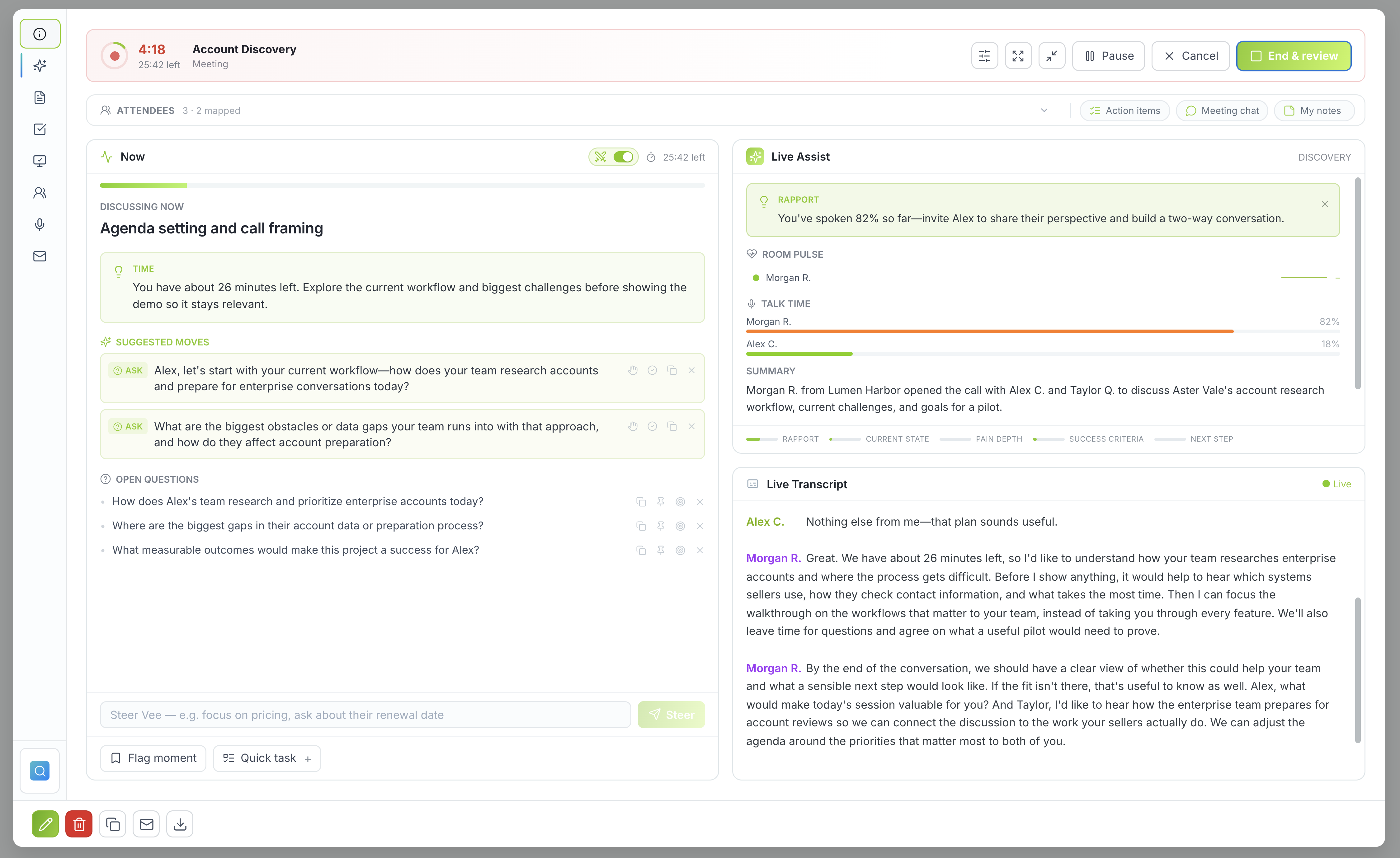
Stay present while Vee transcribes with speaker labels and suggests what to ask next. When the conversation turns, steer its guidance in your own words.
“Focus on pricing objections and find the decision owner.”
Record browser or system audio, use a microphone in person, or send the visible notetaker to Zoom, Google Meet, Teams, or Webex.
A summary is useful. A clear next step is better. Vee brings the decisions, owners, and follow-up into the same place as your deal.
Editable notes with key points and what you agreed.
Action items with due dates, ready to become CRM tasks.
A recap in your voice, ready for your review.
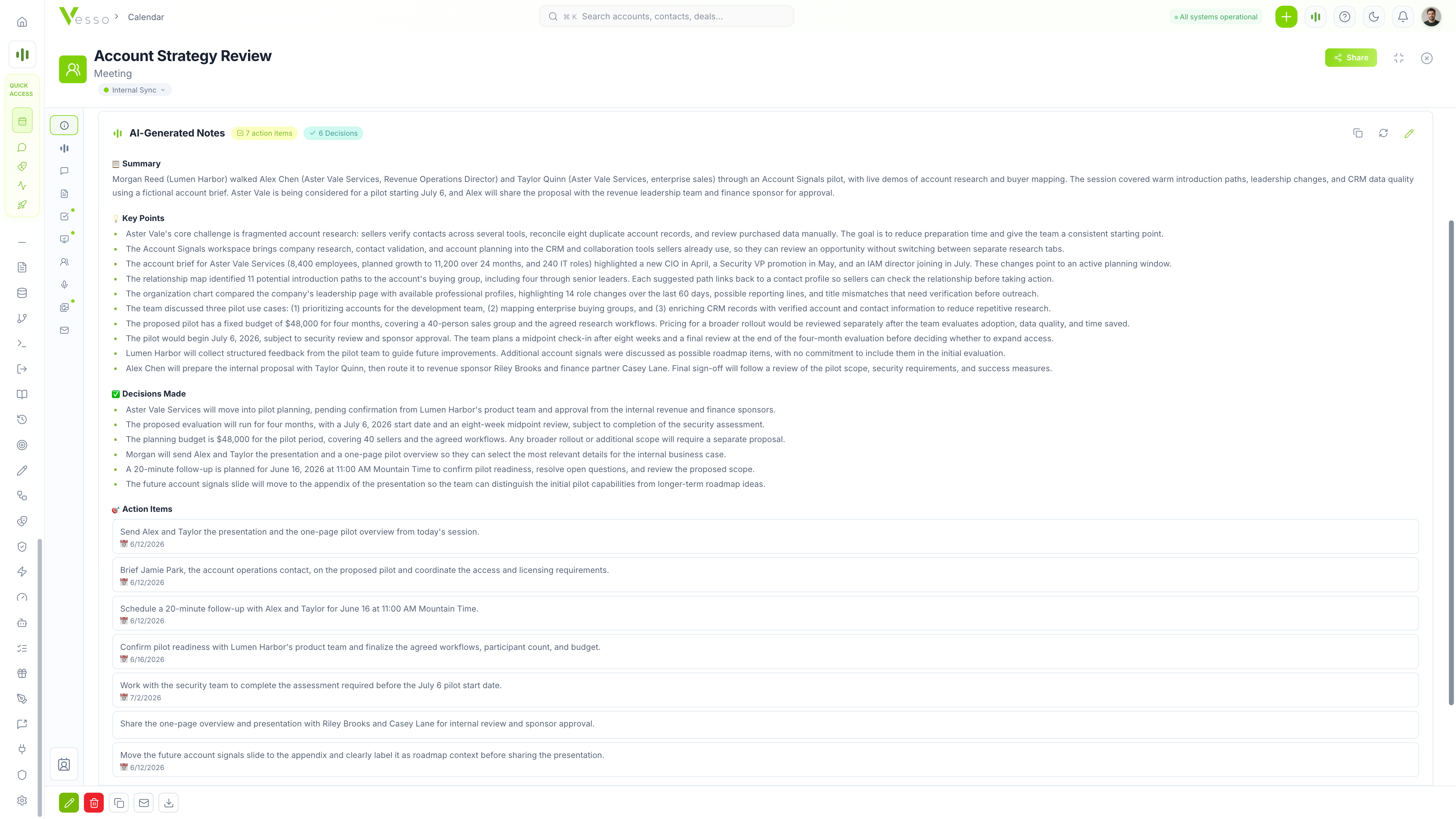
Connected to the account, deal, and contacts. Ready for the next conversation.
Score each call against your team’s methodology, compare per-rep scorecards, and follow progress over time. Turn the moments that matter into a specific next coaching action.
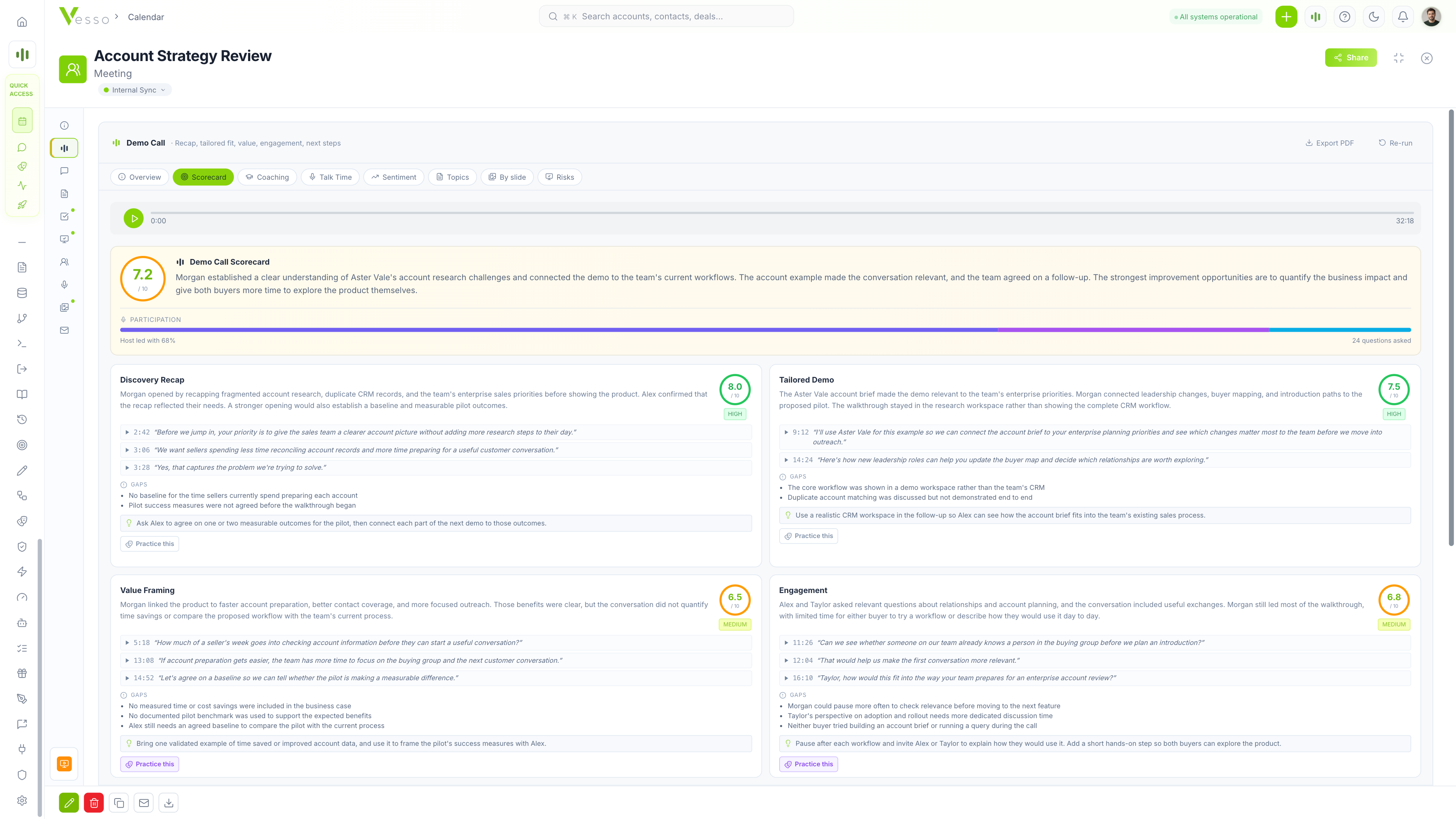
Track competitors and the phrases that matter. See mentions, per-speaker sentiment trends, and risks across calls.
Spot quiet deals and gaps in buyer conversations. Open the calls behind each signal before your pipeline review.
Save calls and clips to your library. Add timestamped coaching comments and bring teammates into the discussion.
Managers see their reporting hierarchy. Workspace admins can review the workspace. Teammates’ private and confidential meetings stay out of team analytics.
Share a call with anyone, or no one. Choose what to include, protect it with a passcode, and set when access ends. Revoke the link at any time.
Role-based access and 2FA. Private and confidential meetings stay out of team analytics.
Vee joins as a visible participant, so everyone knows the meeting is being recorded.
Pause or disable snapshots, and delete them from a recording whenever you need to.
Team analytics follow your reporting hierarchy. Managers see the people they manage; workspace admins can review workspace-wide insights. Teammates’ private and confidential meetings are excluded.
Screen snapshots are saved when the shared screen changes. Turn capture off per meeting, per person, or for the whole workspace, and delete snapshots from a recording.
Recording, sharing, team access, and what’s included.
Explore the plansRecord on any digital platform when its audio is available through your browser or system, or use your microphone for an in-person conversation. You can also send Vee to join Zoom, Google Meet, Microsoft Teams, or Webex as a visible notetaker, or upload an existing audio recording.
Vee creates an editable summary, key points, decisions, and action items with owners and due dates. Turn action items into CRM tasks in one click, review a follow-up draft, and keep the conversation connected to the relevant account, deal, and contacts.
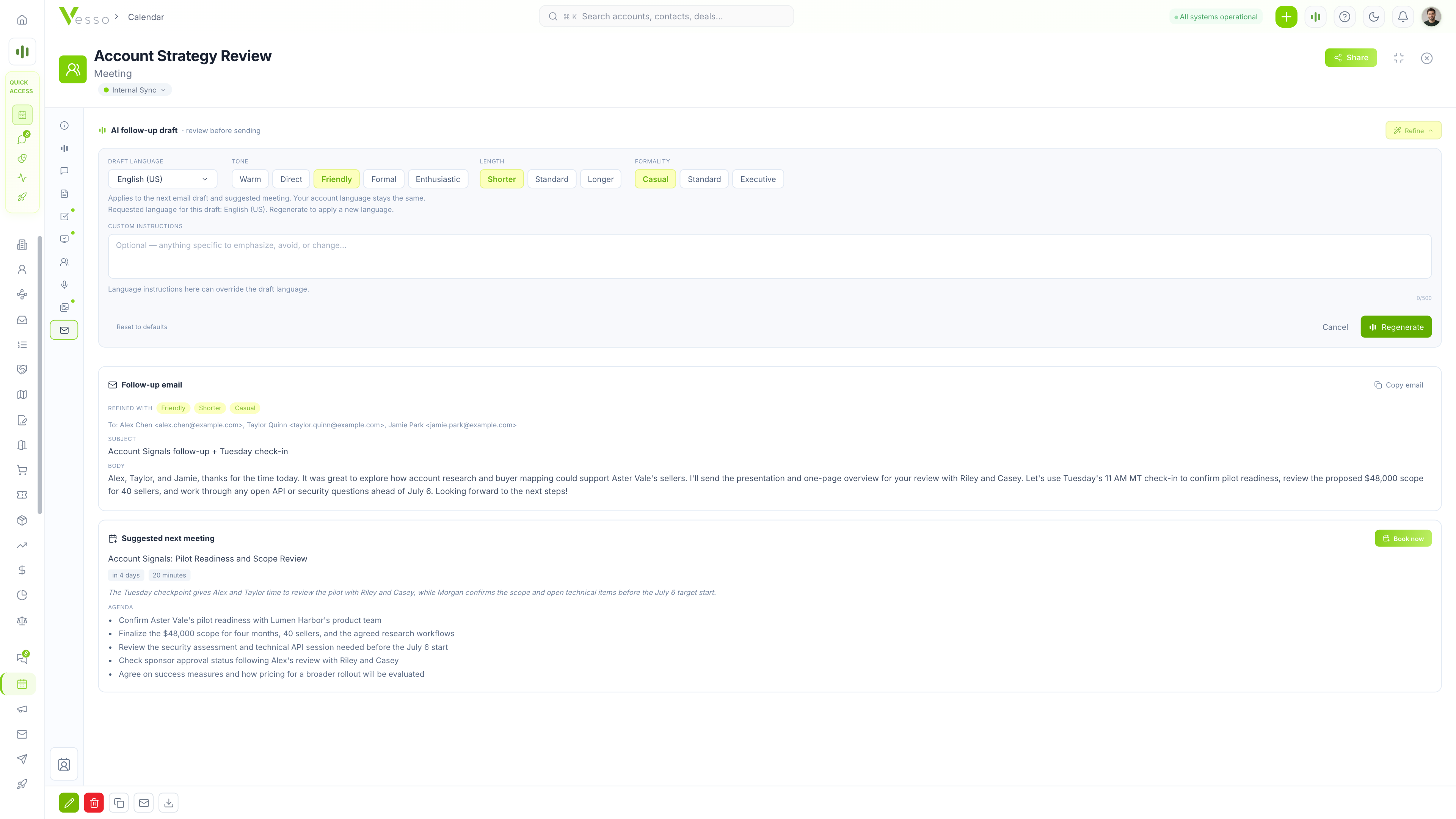
Vee drafts the email using the conversation and agreed next steps. You can adjust the tone, length, and formality, review the draft, and then send it.
Yes. With the Vesso Notetaker or browser recording with meeting audio, Vee captures changes to the shared screen and saves them with the meeting. Review each screen with its notes, copy a slide as a PNG, or export a PDF. Choose whether to include captured slides when sharing a recording. You can pause capture, delete snapshots, or disable capture for the workspace. Explore screen awareness
When you link a meeting to a prior conversation, the prep brief includes the earlier screens and what came of each. It also flags figures that have changed, so you can pick up where you left off.
Every saved call has a searchable transcript synced to playback. Select a transcript line to jump to that moment. Bot-recorded calls include video, and captured screens let you return to what was being shown.
Sales frameworks include BANT, MEDDIC, SPICED, Discovery, and Demo. There are also formats for QBRs, onboarding, interviews, 1:1s, retrospectives, sprint planning, team meetings, and brainstorms. Each scorecard includes supporting evidence from the conversation.
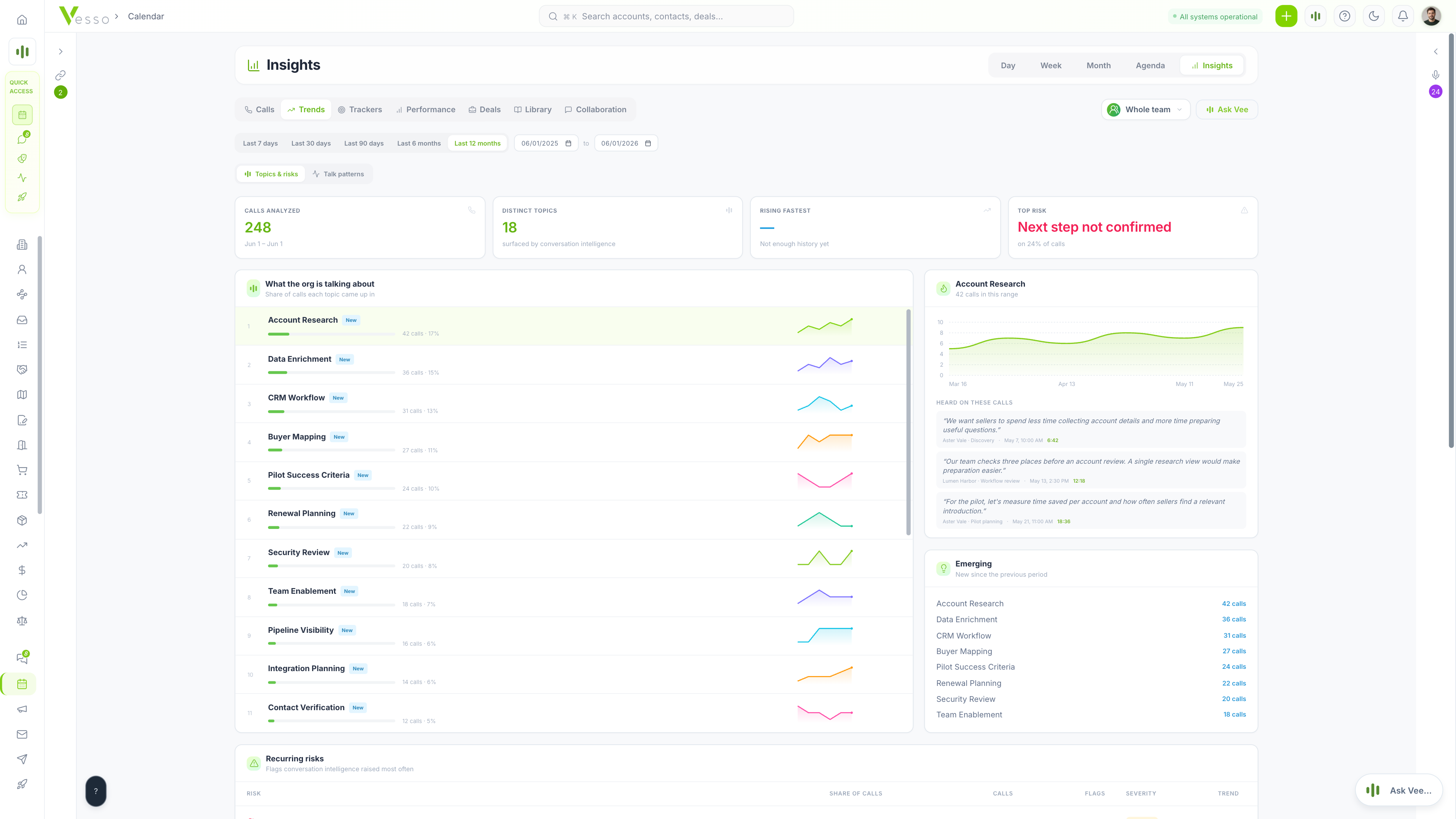
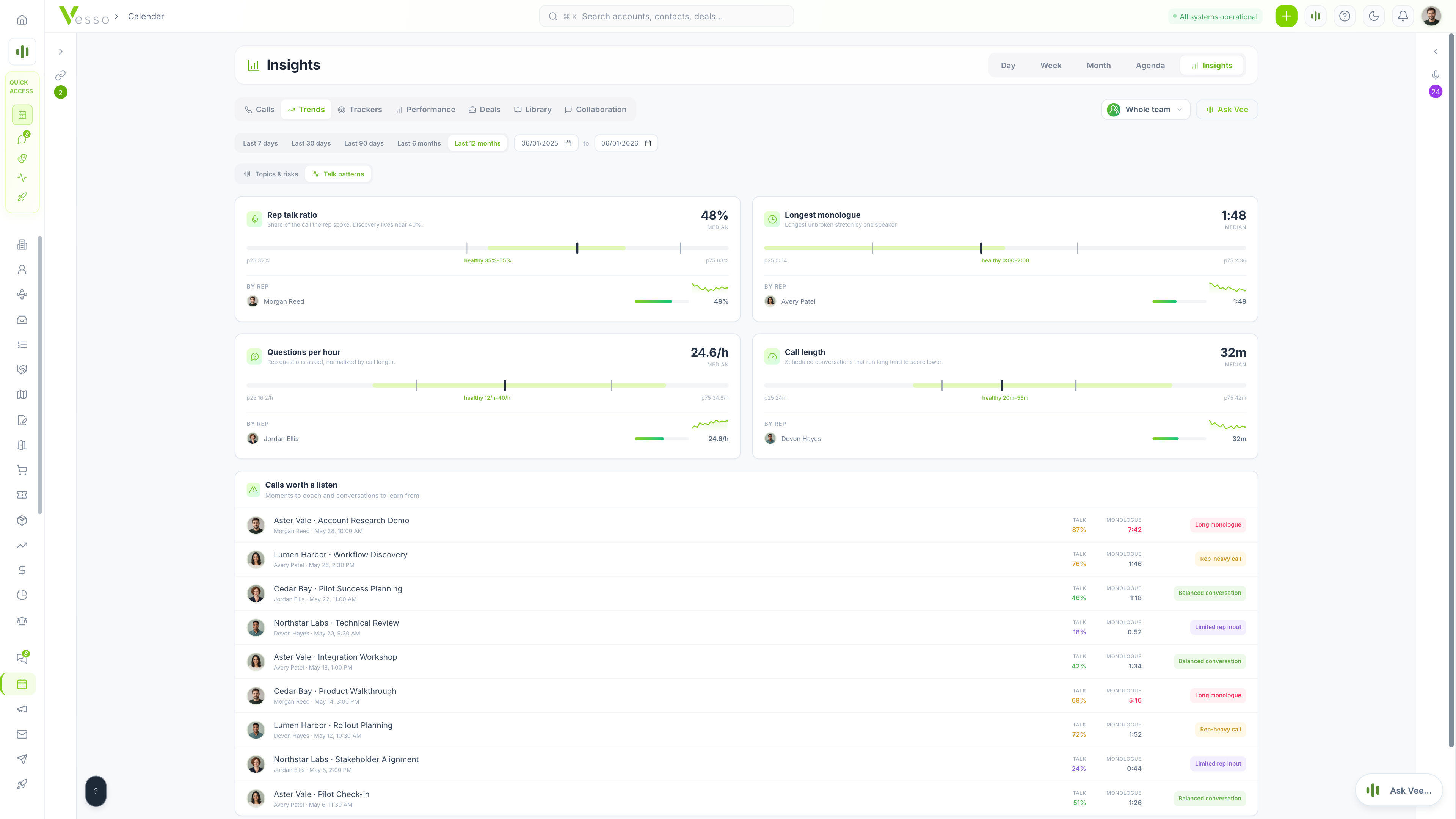
Managers can review calls from the people in their reporting hierarchy; workspace admins can review active workspace members. Compare topics, risks, per-rep scorecards, talk ratios, monologues, questions per hour, and call length over a selected period. Speaker-based metrics need at least two identified speakers. Teammates’ private and confidential meetings are excluded from team analytics.
Workspace admins can define phrase trackers for competitors, objections, and product names. See mentions and trends across the calls in scope, compare reps, and jump to matching moments. Scan coverage shows which calls are included.
Yes. Create a passcode-protected link, choose which parts of the meeting to include, and set an expiry. Viewers do not need a Vesso account. You can revoke the link at any time.
Every business plan includes unlimited meeting recording and AI notes, starting with Solo at $49/month. Recording and notes are never metered by credits. Other AI actions follow the plan’s credit allowances. Team views follow workspace membership and manager permissions. See plans and AI allowances
Start with your next conversation. Leave with clearer next steps, a stronger follow-up, and something useful to carry into the next call.
Free for 7 days · No credit card required
Unlimited recording and AI notes in every business plan.
Recording lectures? Explore Vesso for Students