Work from your own mailbox.
Read, compose, reply, forward and save drafts in Vesso. Your private email and a team’s shared inbox are separate spaces.
Email & shared inboxes
Work from your own mailbox or coordinate replies in a shared inbox. See who owns the conversation, share context privately and keep the customer from having to ask again.
Free for 7 days · No credit card required
See open conversations, assignments and response deadlines together. Pick up the thread with the customer’s message in view.
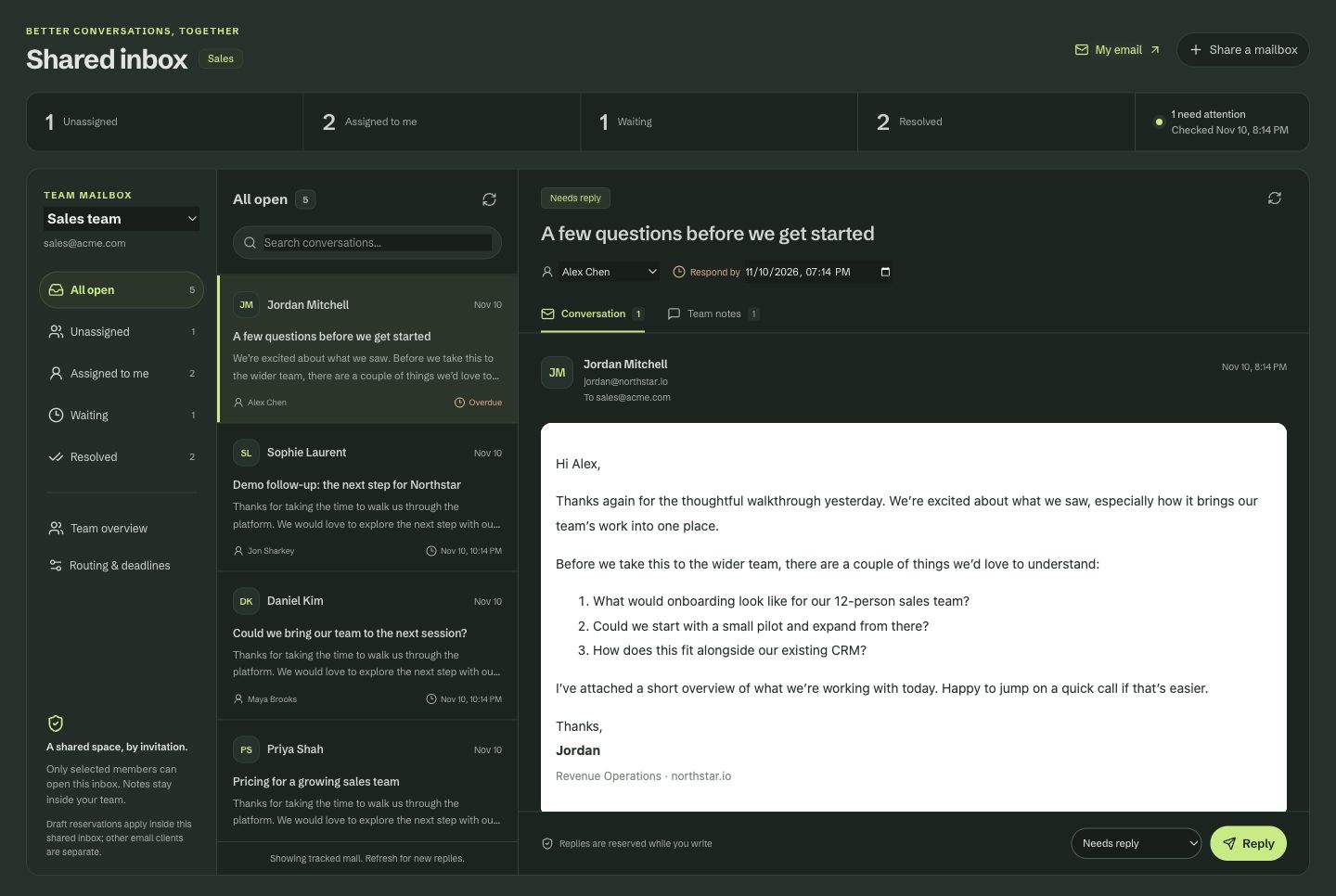
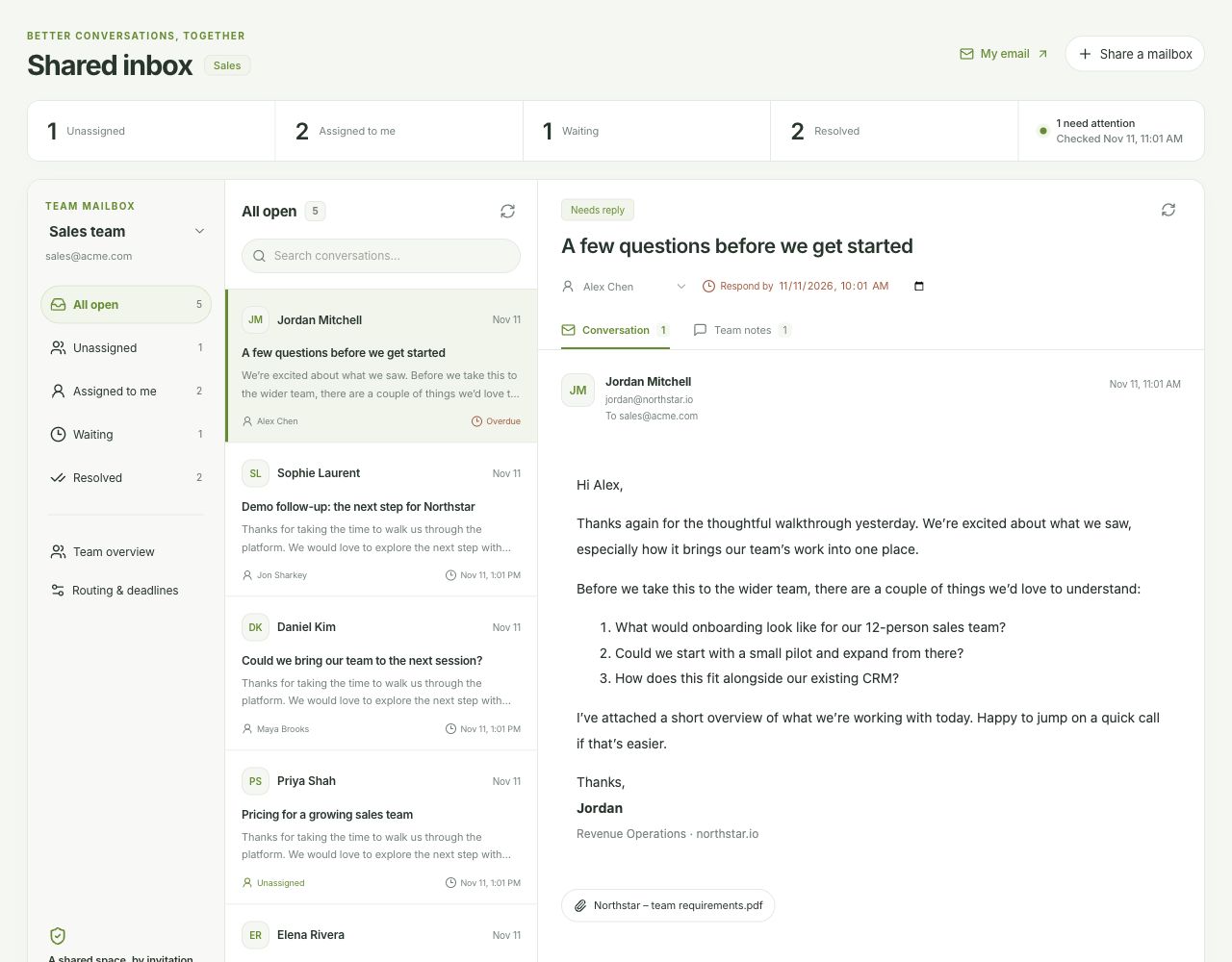
Actual Vesso interface with sample data. Pause the tour to take a closer look.
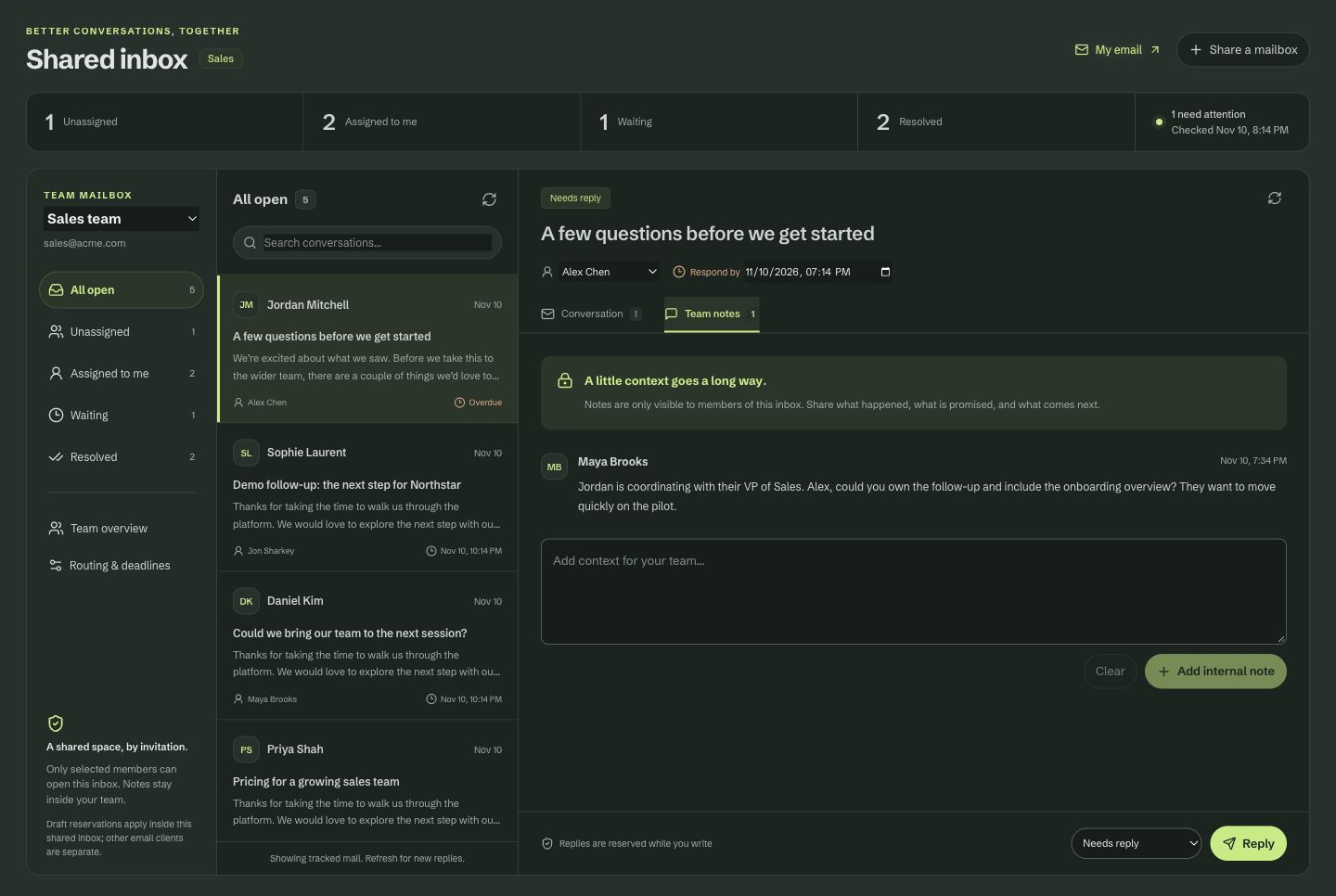
Discuss the promise and the next step in internal notes before anyone replies. Notes stay with the team members who have inbox access.
Keep the conversation going
Read, compose, reply, forward and save drafts in Vesso. Your private email and a team’s shared inbox are separate spaces.
Grant access to a shared inbox, assign threads and set deadlines. Reservations make it clear when a teammate is already handling a conversation.
Use internal notes to give teammates the context they need. Prepare a draft, review the wording and send the reply when it is ready.
Connect a supported mailbox first. Gmail and Outlook mail are enabled per workspace on request. Shared inboxes require explicit access grants. Check the integrations page for provider setup and current availability.
Compare plans and limitsA few details
Private email and shared inbox access are separate. A shared inbox uses explicit grants for the people who need to work there.
Assignments and reply reservations show who is handling a shared conversation. Internal notes let teammates coordinate before replying.
An inbox is for reading and responding to conversations. Cadences organize a planned sequence of outreach across email, calls and manual LinkedIn tasks.
Connect a supported mailbox and keep the conversation, its owner and the next step together.
Free for 7 days · No credit card required