Vesso Meet
Start the call where the context already lives.
Browser-based video meetings built into your workspace. Start one from a conversation, a calendar event or an account. Invite anyone with a link. Draw together on a shared whiteboard. When it ends, Vee has already written the recap and filed it against the account and the opportunity the call came from.
Free for 7 days · No credit card required
The meeting belongs with the work.
People, shared context, and Vee’s notes in one place.
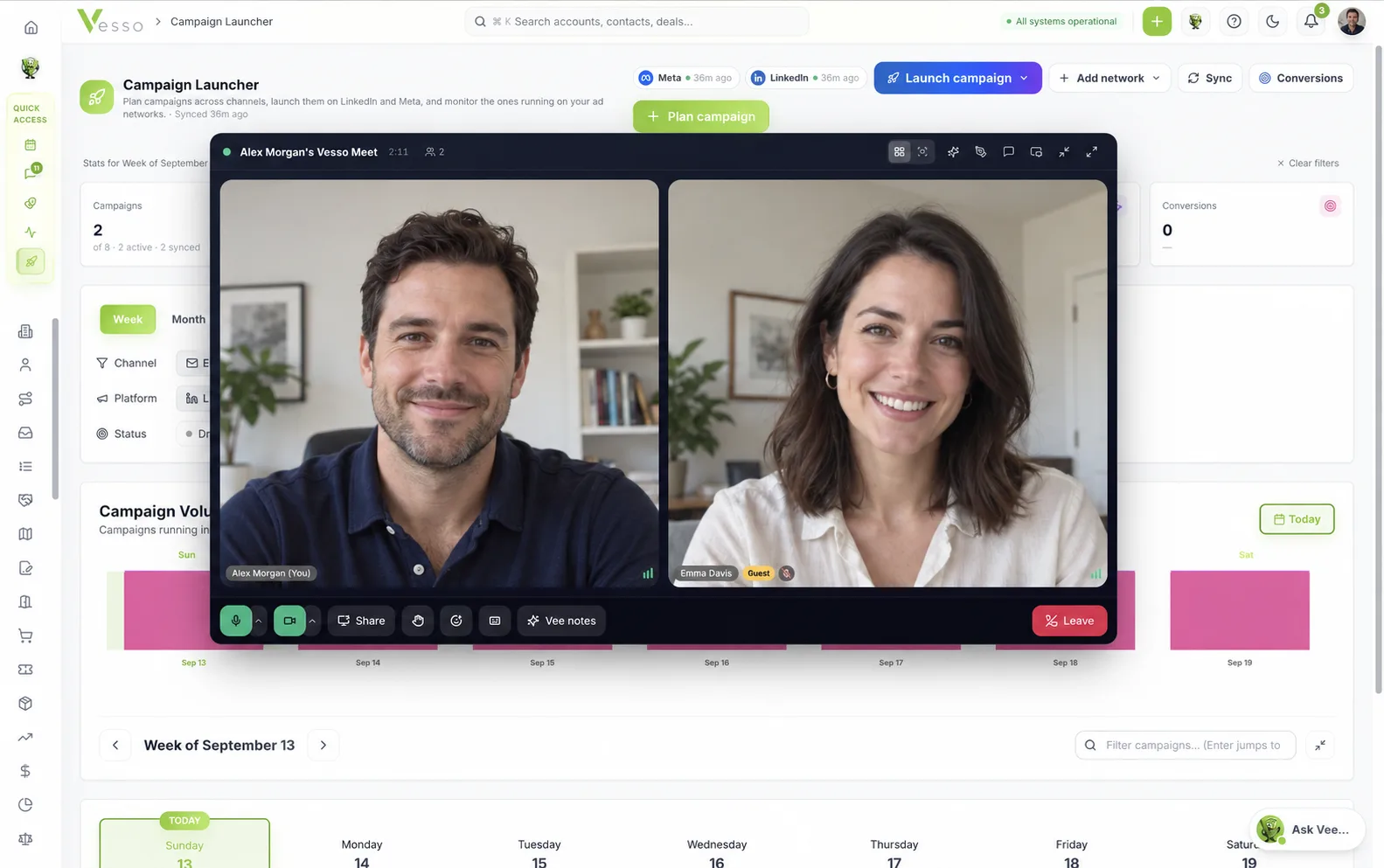
A meeting in about the time it takes to type a reply.
A prospect asks three questions that would take six messages to answer badly and one call to answer well. Vesso Meet starts that call from wherever you already are, with the account, the thread and the open opportunity still on screen behind it.
0
Apps to install. Guests join in the browser they already have open
1
Link to share with a customer, a partner or a contractor
6
Ways to start a Meet, from a thread, a record or a calendar event
1
Record the recap lands on: the account and opportunity it came from
The call starts from the record, and lands back on it.
What usually eats the afternoon is everything wrapped around the meeting. That part is already done.
The room is ready when you are
Preview your camera, check your microphone, switch devices and decide whether you walk in muted. The account, the thread and the open opportunity are already on screen behind the call.
Talk, share, draw, decide
Everyone who matters is in the room, guests included. Share a screen, sketch the rollout on the shared whiteboard, and let Vee follow along with live captions.
The record writes itself
Vee turns the conversation into a recap with decisions, owners and next steps, attached to the calendar event and to the account and opportunity the meeting came from.
Walk in on purpose, not by accident
Nobody should discover their microphone is wrong in front of a customer. Every Meet opens on a pre-join screen: preview your camera, watch the level meter move, switch mic, camera or speaker, play a test sound, and choose whether you arrive muted or on camera. Chrome and Edge add background blur and noise suppression from the same screen, with the blur shown on your own preview first.
Background blur
Anyone joins with a browser and a first name
Send the link to a customer, a prospect, a partner or an implementation contractor. They open it in a browser, type a name, check their setup and ask to join. The waiting room leaves you deciding who comes in. Once admitted they are on the same call surface as your colleagues, which makes the jump from an internal working session to a customer conversation a matter of forwarding a link.
What your guest sees
Renewal review
Hosted by Alex Morgan
What you see
Everything a working call actually needs
Share your screen with its audio, raise a hand and let the queue keep order, throw a reaction, read live captions, pin whoever is presenting, and switch between grid and speaker view. Pop the call out into its own window or shrink it to a dock and keep using the rest of Vesso while the conversation continues.
Live captions
Emma: if we can get SSO in place before the renewal date, we are happy to sign the two-year
A whiteboard that stays with the meeting
Map an org, sketch a rollout sequence, cluster feedback, or argue about a workflow by drawing it. The board opens beside the call, your team draws on it together, and guests follow along live. Because the board belongs to the meeting rather than to a separate app, what gets drawn survives the call and stays with the rest of the record.
Saved to the meeting, next to the transcript and the recap.
Vee turns the call into a record, not a recording
Switch on Vee notes and everyone in the room sees a clear notice. Vee transcribes the conversation, shows live captions to the room, and afterwards writes the recap: what was decided, what was asked, what someone committed to. The recap and the transcript stay attached to the calendar event and, when the meeting is linked, to the account and the opportunity it came from.
Summary
Renewal review with Acme. Two-year term agreed in principle, contingent on SSO landing before the renewal date.
Decisions
Action items
- Confirm SSO delivery date with engineeringYou · Wed
- Send the security packet to EmmaYou · Fri
The room stays yours
The host decides who gets in and what happens next. Admit people from the waiting room, ask someone to mute, lower every hand at once, pin a presenter, remove a participant, or end the call for everyone. When you leave a call you started, you choose whether the rest of the room keeps talking.
Hands raised
In the room
Nothing you would miss from the call you are used to.
The controls sit where your hands expect them, the stage rearranges itself as people come and go, and the whole thing works from a laptop down to a phone.
- Screen sharing, with the tab audio
- Raise a hand, and a queue that tracks who raised it first
- Reactions that float over the call
- Live captions while Vee is taking notes
- Grid and speaker views, plus pin anyone
- Pop the call out, or shrink it to a dock and keep working
- Chat in the room, kept with the meeting
- Background blur and noise suppression on Chrome and Edge
The part that usually costs a Friday afternoon.
Reassembling decisions, owners and next steps into the CRM from memory is the real cost of a meeting. A Meet is already filed against the customer it belongs to, and pointed at the next step.
Your hands never have to leave the keyboard.
Mute, camera, hand and share are one chord away, push to talk is the space bar, and a question mark brings up the rest. The call reads as a dialog to a screen reader, holds focus while it is open, and respects reduced motion.
Everyone knows what is happening on the call.
A meeting with a customer in it is a place to be obvious, not clever. Notes are announced, guests are admitted on purpose, and what the call produces stays in your workspace.
Questions, answered.
No. Vesso Meet runs in the browser for everyone. Your team joins from inside Vesso, and guests open the link you send them in Chrome, Edge, Safari or Firefox on a laptop or a phone. There is no app, no plugin and no account required for a guest.
Six ways, all of them two clicks or fewer: from a chat conversation, by typing /meet in a thread, from a calendar event with Vesso Meet set as the location, from an account, contact or opportunity record, from the add-new button in the header, or by asking Vee to start or schedule one. If someone sends you a code or a link, press J or paste it into search.
Vesso Meet rooms hold up to 50 people, with camera video for up to 25 of them. It is built for working calls rather than webinars, so larger audiences are better served by a scheduled meeting with the notetaker.
Guests see the board live and watch it update while your team draws, but they do not edit it. Editing belongs to people in your workspace, which keeps the board, and everything drawn on it, inside your account.
No. When Vee notes are on, Vesso captures the conversation as a transcript and turns it into a recap with decisions, questions and action items. You get something you can read, search and file against the deal rather than an hour of video someone has to scrub through.
Yes. Vee notes are off until someone turns them on, and the moment they start, a banner appears in the room for every participant, guests included, with a persistent chip in the header after it fades. Anyone can follow the live captions while it runs.
On the calendar event for the meeting, alongside the transcript. When the Meet was started from an account, contact or opportunity, or is linked to one, the recap is attached to that record too, and any action item can become a CRM task in one click.
Blur and noise suppression run on Chromium browsers, which means Chrome and Edge. Safari and Firefox join the same call with everything else intact; they just skip those two effects.
Keep them if your buyers live there. The Vesso notetaker joins calls on Zoom, Google Meet, Microsoft Teams and Webex and produces the same notes and conversation intelligence. Vesso Meet is for the calls you would rather start where the context already is, without leaving the workspace or booking a bridge.
Every plan. Vesso Meet is part of the workspace, not an add-on, and there is no per-host licence. Vee notes draw on the same monthly AI credits as the rest of the AI in your plan.
Meet where the work already happens.
Start a free trial and run your next call inside Vesso. Vesso Meet is included in every plan, with no per-host licence and nothing for your guests to install.
Free for 7 days · No credit card required