Let Vee read it first.
Get a plain-English summary, key terms, risk flags and a view of what is missing. Choose the sender’s, customer’s or a neutral perspective.
Vesso Agreements
Keep the draft, the discussion and signing progress together. Review with Vee, resolve changes with the customer and give everyone a clear path to the next signature.
Free for 7 days · No credit card required
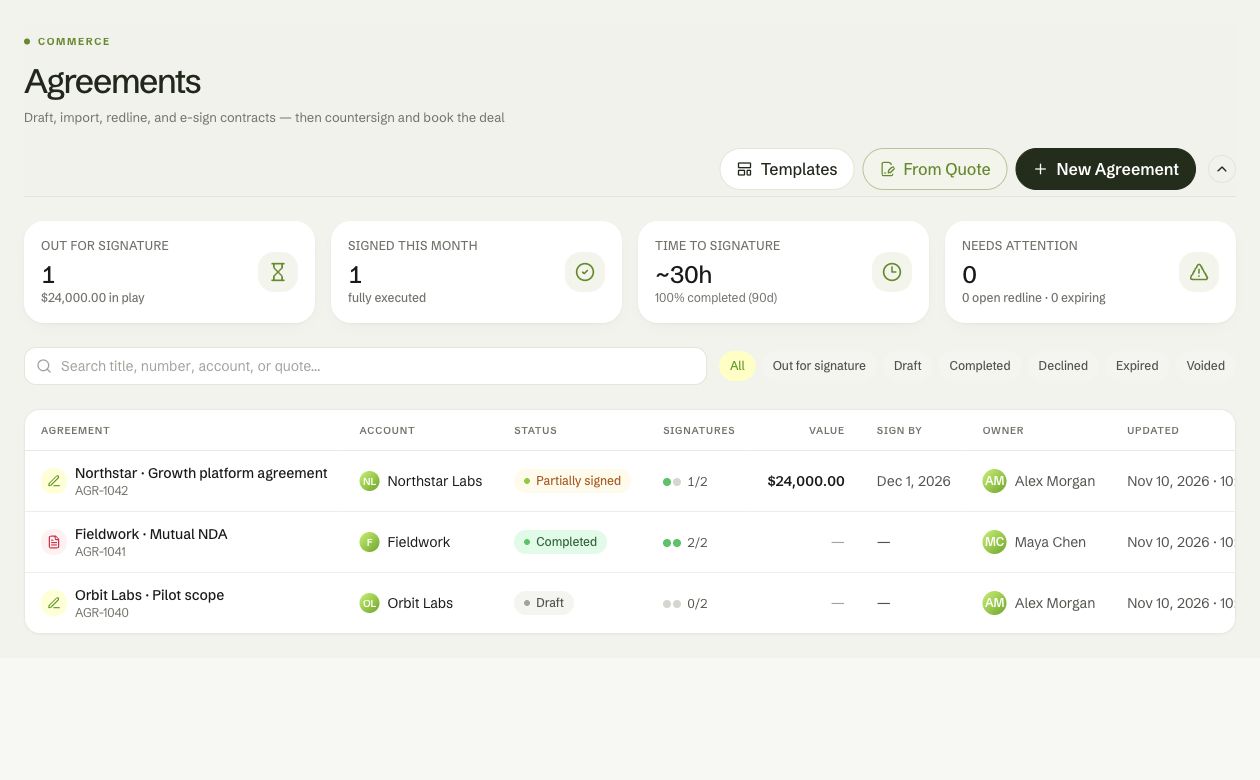
See drafts, signing progress and completed agreements alongside the account. Pick up the next review or signature from the same workspace.
Start with a mutual NDA, subscription agreement or statement of work. Save your team’s versions as reusable templates, and fill merge fields from the customer and deal context.
Bring in a Word document for editing, place signing fields on a PDF, or turn a quote into an order form.
Start the relationship with shared terms.
Bring the commercial details together.
Define the scope, milestones and deliverables.
Reuse the documents your business works with.
Give the team a shared place to understand the terms, discuss a clause, and resolve the changes before signing.
Get a plain-English summary, key terms, risk flags and a view of what is missing. Choose the sender’s, customer’s or a neutral perspective.
Propose a redline from a Vee suggestion or a signer’s feedback. Keep comments attached to the clause and accept or reject proposed changes.
Use the signing-readiness assessment to guide your review. Run Vee again after edits and resolve open issues before sending.
Vee review uses AI credits and is not legal advice. Clause redlines are available for editable agreements; imported PDFs support signing fields and comments.
Give each party a personal link to review and sign without creating a Vesso account. Set the signing order, assign roles, and see the agreement progress.
Keep buyers and your team aligned around the same shared deal room. Attach agreements so their status stays alongside the materials and next steps that move the deal forward.
Connect the agreement to its account, contact, opportunity and deal room so your team can follow the relationship through signing.
Invited signers can request their personal signing link from the room using the email address listed on the agreement.
Track open redlines, approaching expirations and agreement status from Vesso. Keep the activity history close when it is time to follow up.
Yes. Start from a built-in or saved workspace template, create a document, or import your own. Word documents become editable blocks. PDFs keep their layout and use placed signing fields.
Vee summarizes the agreement, identifies key terms, flags risks and missing provisions, and gives a signing-readiness assessment. Suggested wording can become a proposed redline on an editable clause. Vee review uses AI credits and is not legal advice.
When redlines are enabled, signers can propose wording changes on editable document clauses and participate in comment threads. Your team reviews those proposals in Vesso. Imported PDFs use signing fields and comments rather than editable clause redlines.
No. Each party receives a personal signing link. You can add an access code, assign signer or approver roles, and choose sequential or parallel signing. Signers can draw or type their signature.
Attach an agreement to a deal room to keep its status alongside the deal’s shared materials. An invited signer can request their personal signing link from the room using the email address on the agreement.
Follow agreement status, signer progress, open redlines, activity and approaching expirations. Send reminders, and download the executed PDF when the agreement is complete.
Bring the agreement into the workspace where your team already manages the customer relationship.
Free for 7 days · No credit card required